NeboAI
NeboAI
Începe

Cere documentul. Primește fișierul.

Nebo Office creează, citește și editează fișiere Word, Excel, PowerPoint și PDF, chiar pe calculatorul tău.

Spune ce ai nevoie. Deschide fișierul.

Fără șablon de completat și nimic de formatat.

Face fișierul adevărat.

Word, Excel, PowerPoint și PDF, cu tabelele, formulele, antetele și cuprinsul unui fișier adevărat.

Citește aproape orice.

Dă-i un contract, o scanare sau un tabel vechi și întreabă ce vrei să afli.

Editează fără să strice aspectul.

Schimbă o clauză, actualizează cifrele sau completează un formular. Formatarea rămâne la locul ei.

See what it makes.

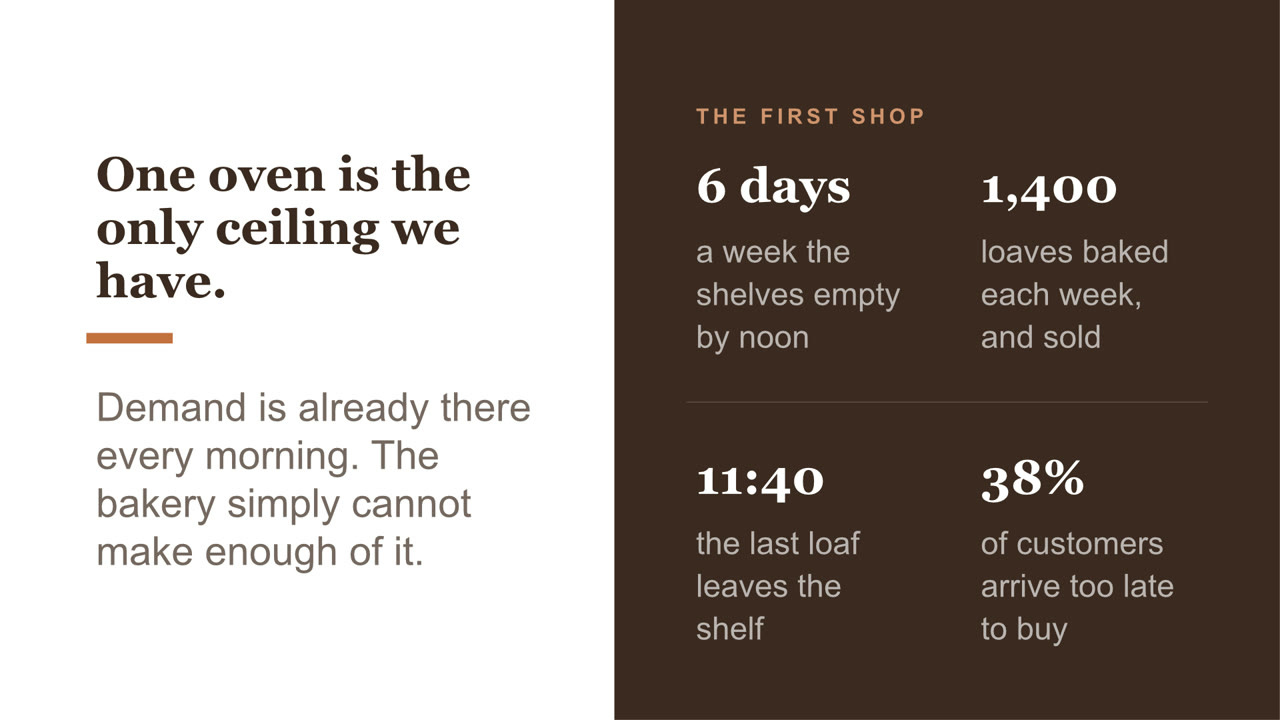
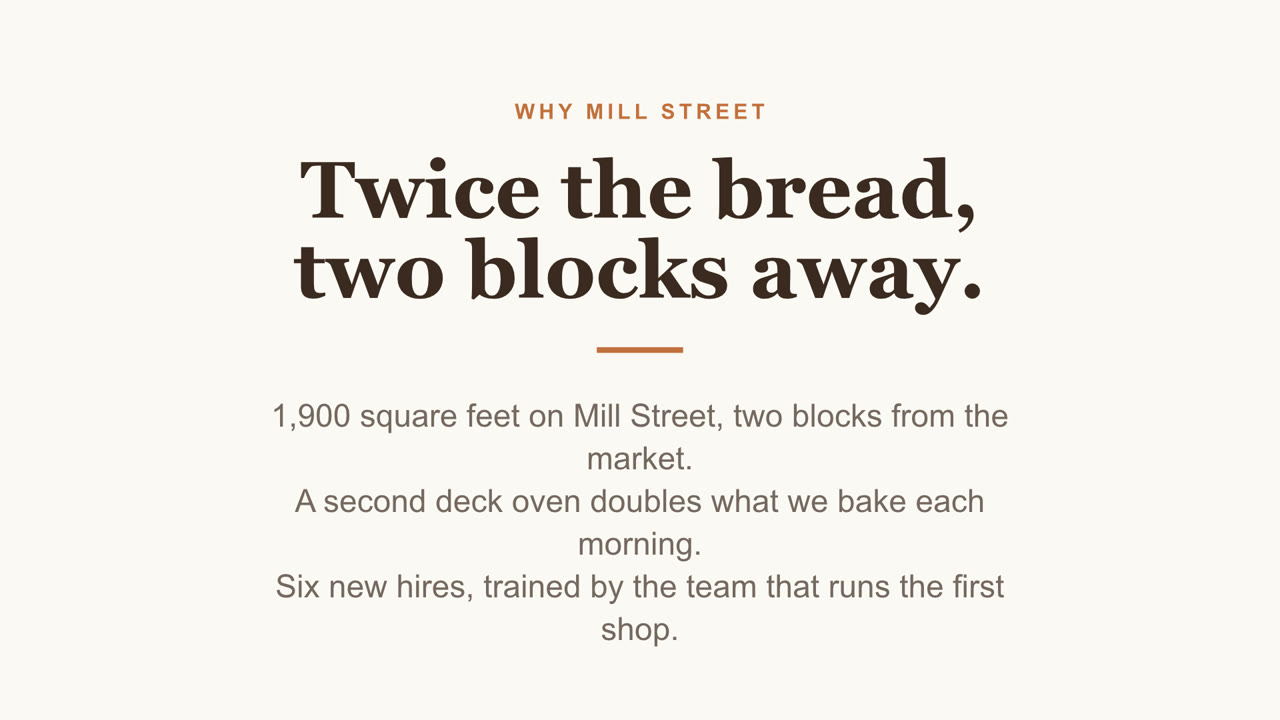
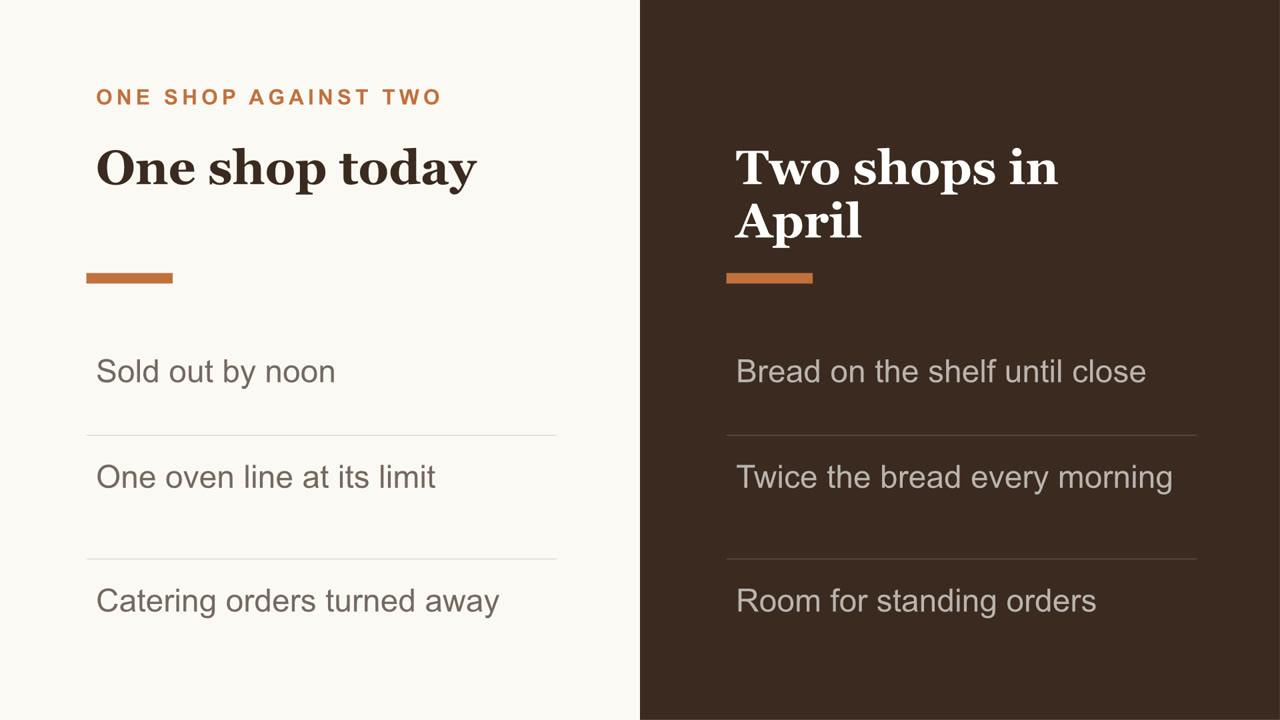
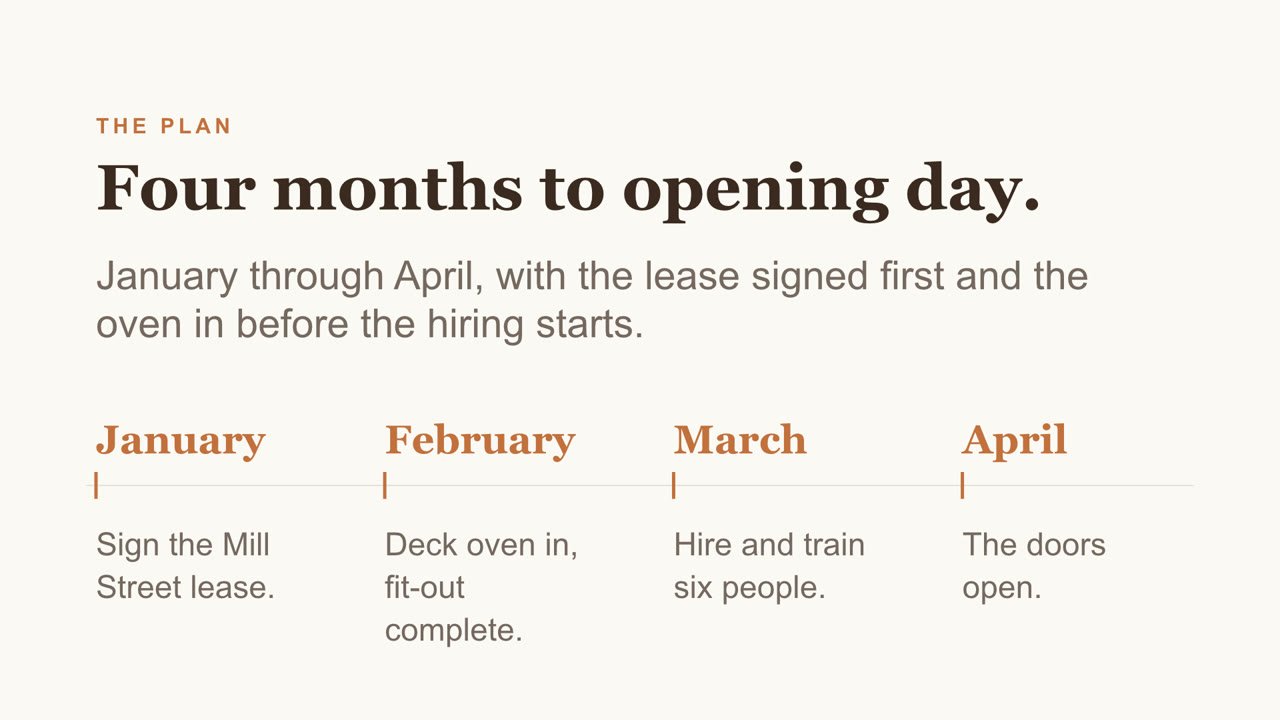
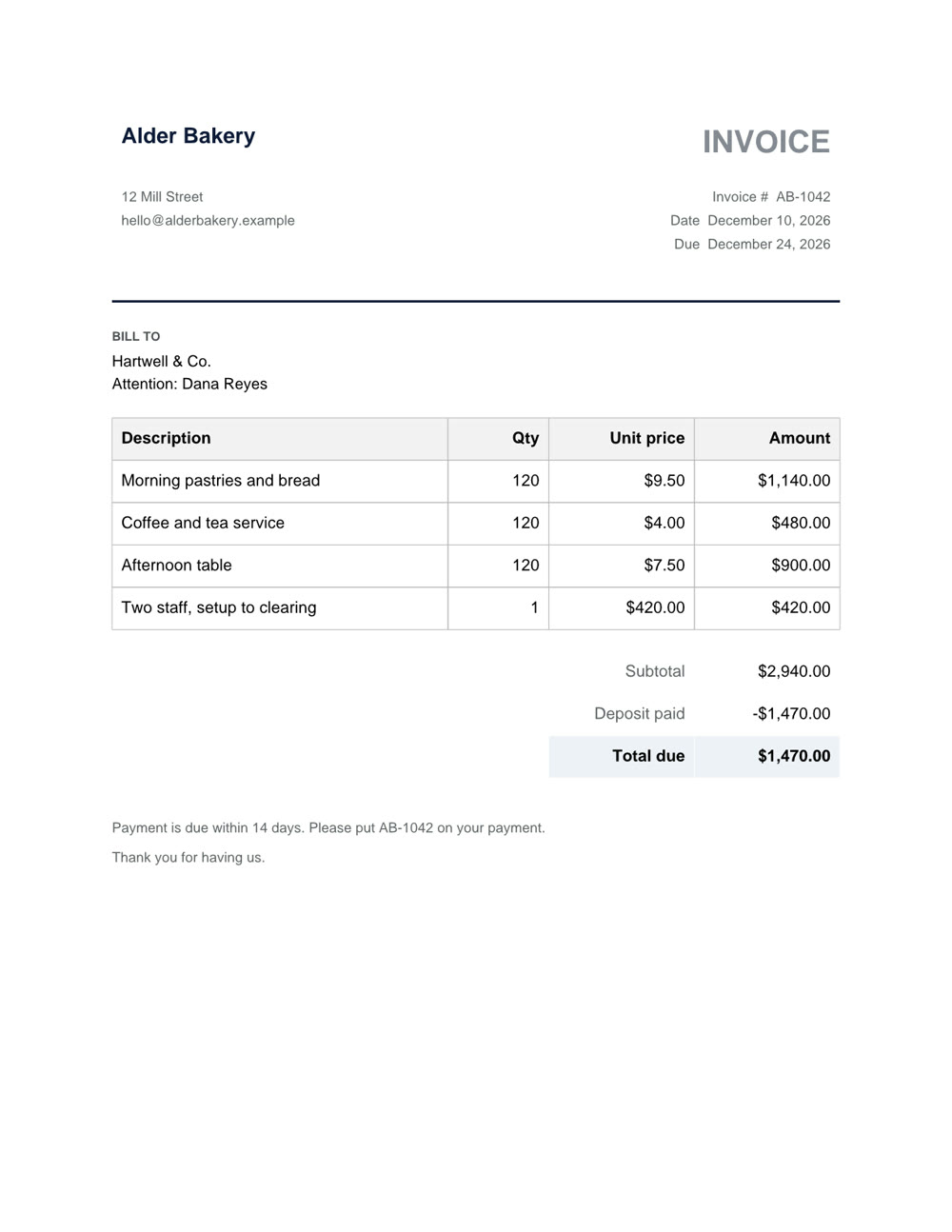
Nebo Office made every one of these for Alder Bakery, a business we invented. Page through them, then download the real files and open them in your own apps.

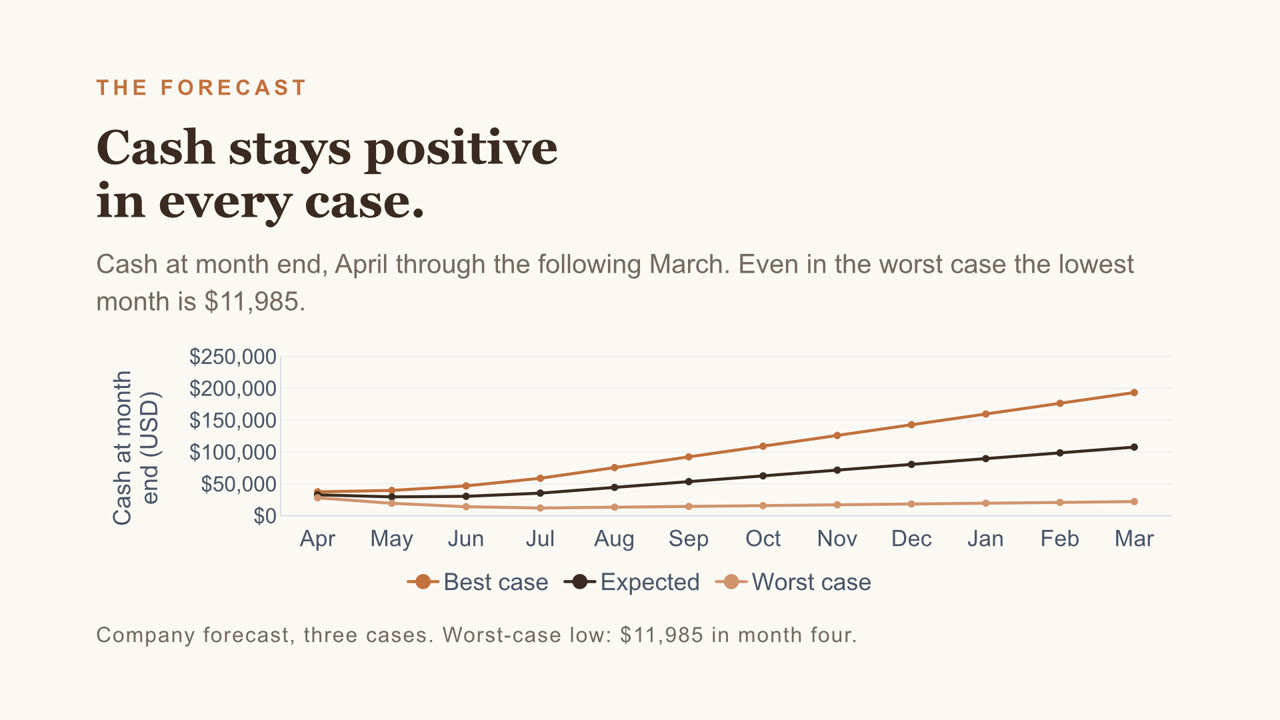
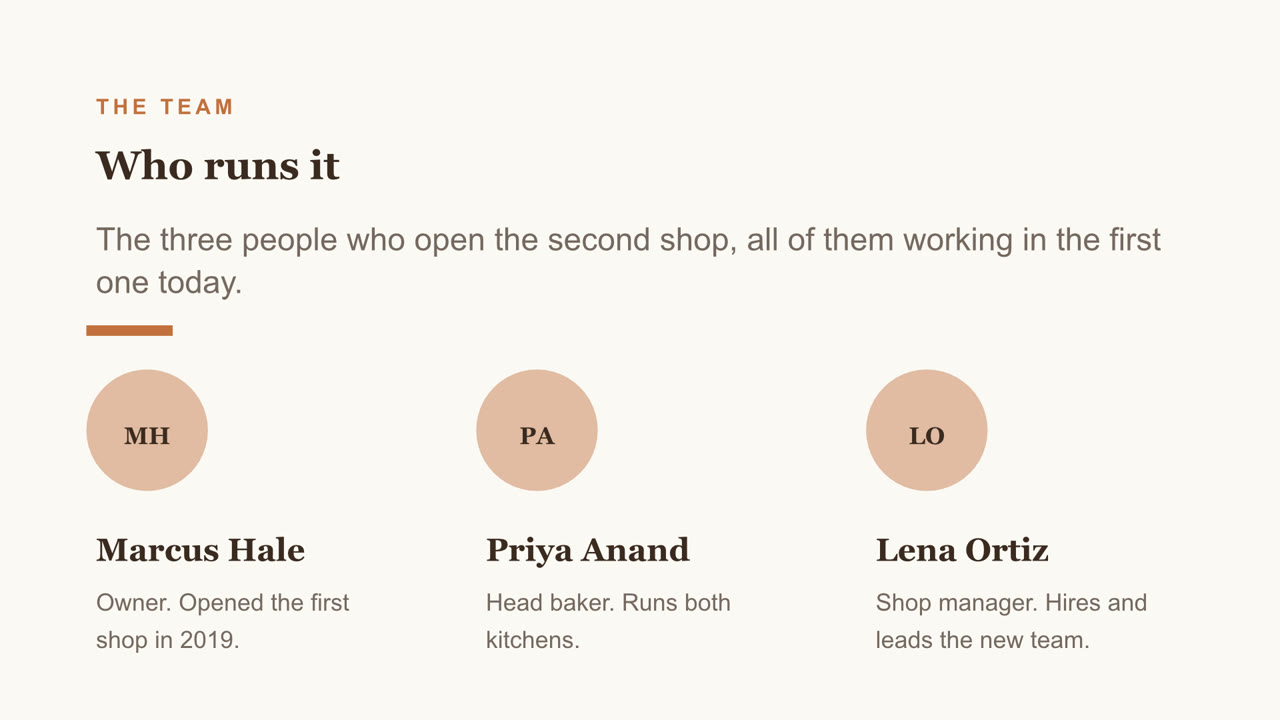
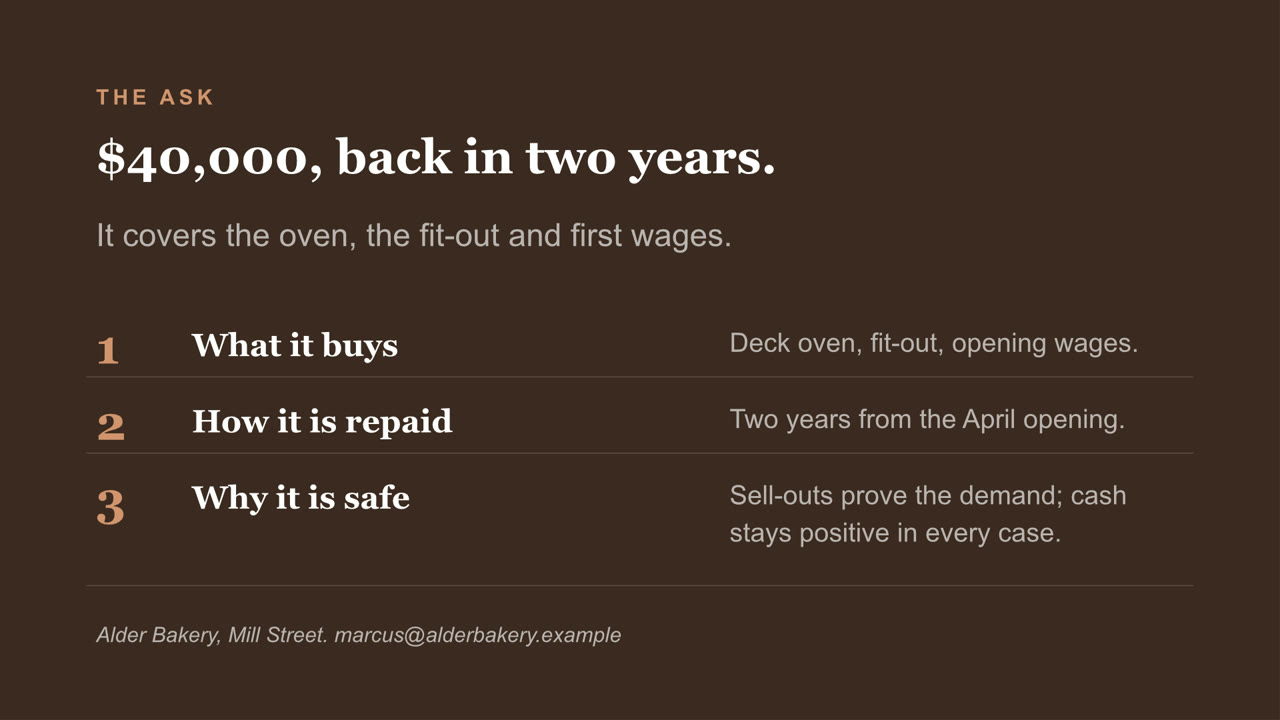
Pitch deck, page 1 of 8Pitch deck, page 2 of 8Pitch deck, page 3 of 8Pitch deck, page 4 of 8Pitch deck, page 5 of 8Pitch deck, page 6 of 8Pitch deck, page 7 of 8Pitch deck, page 8 of 8
Pitch deck PowerPoint

Eight slides, with a chart you can still edit and a cover photo Nebo generated. Download the file

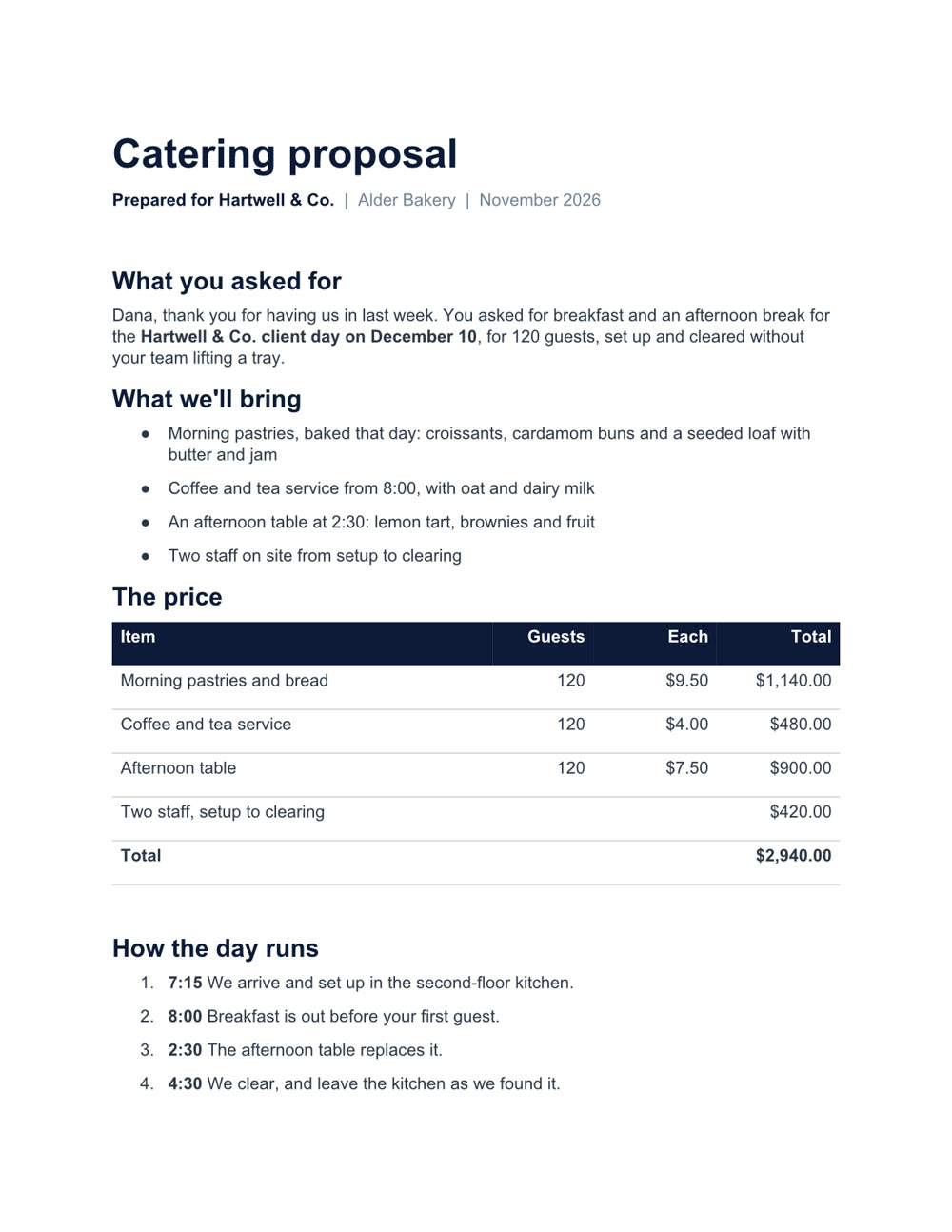
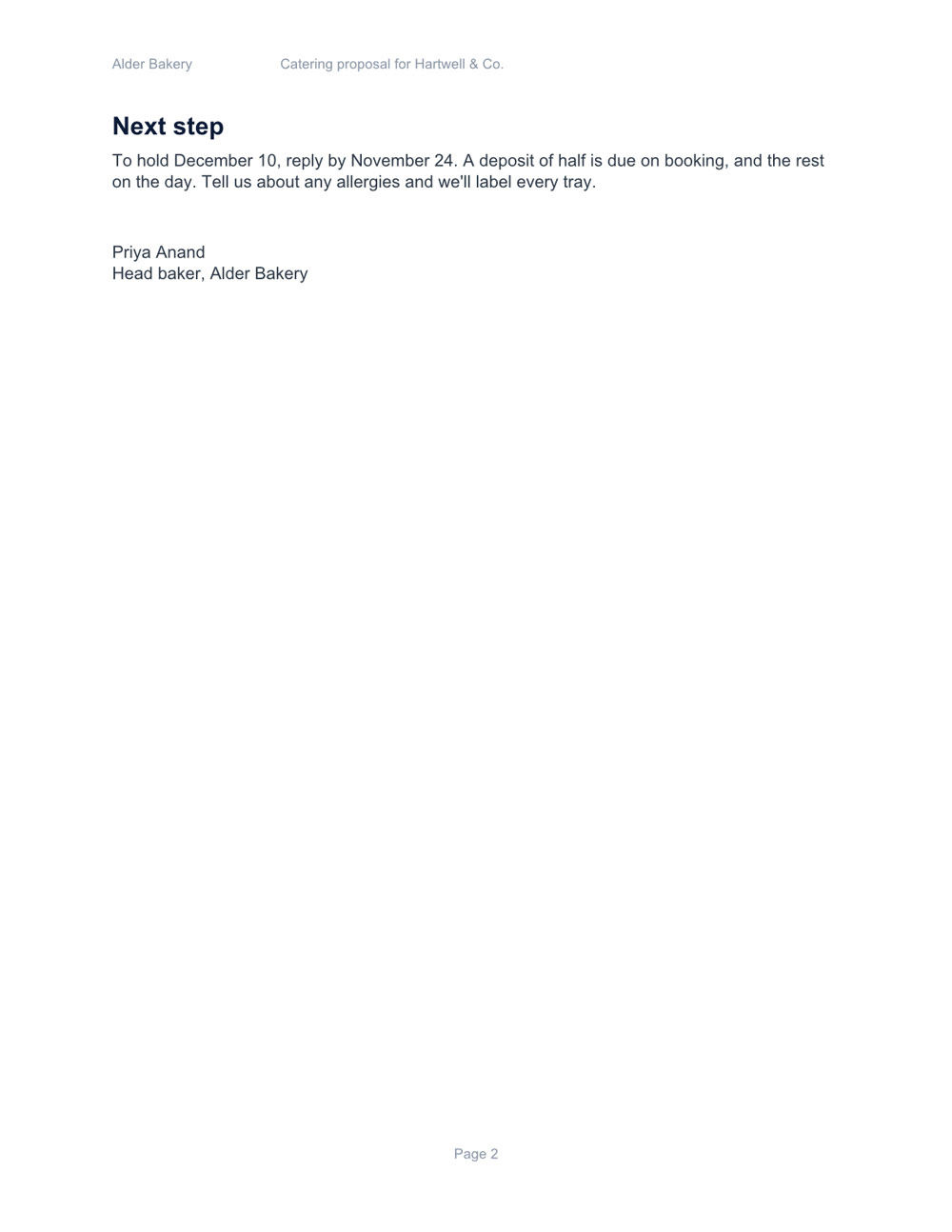
Catering proposal, page 1 of 2Catering proposal, page 2 of 2
Catering proposal Word

Two pages, with a price table and a schedule. Download the file

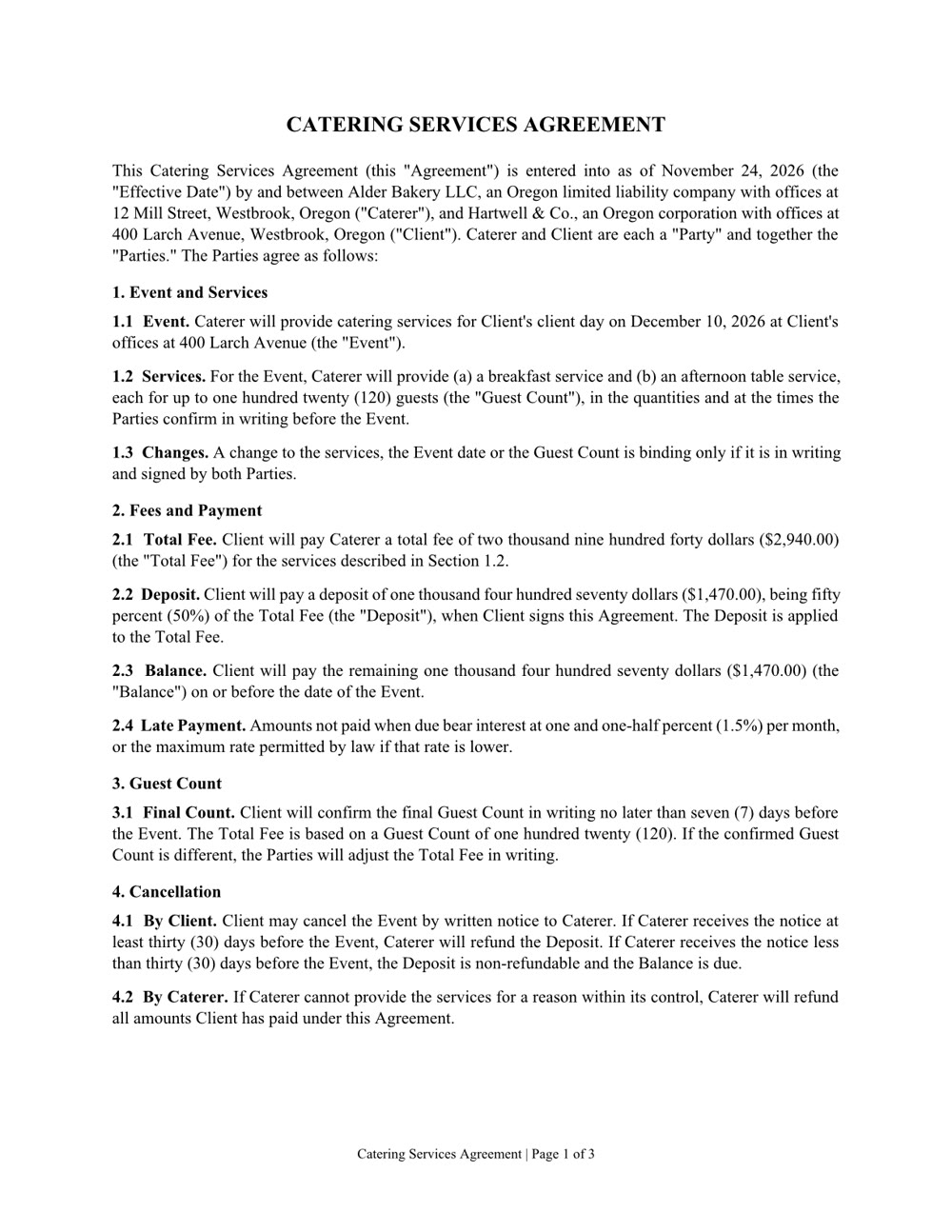
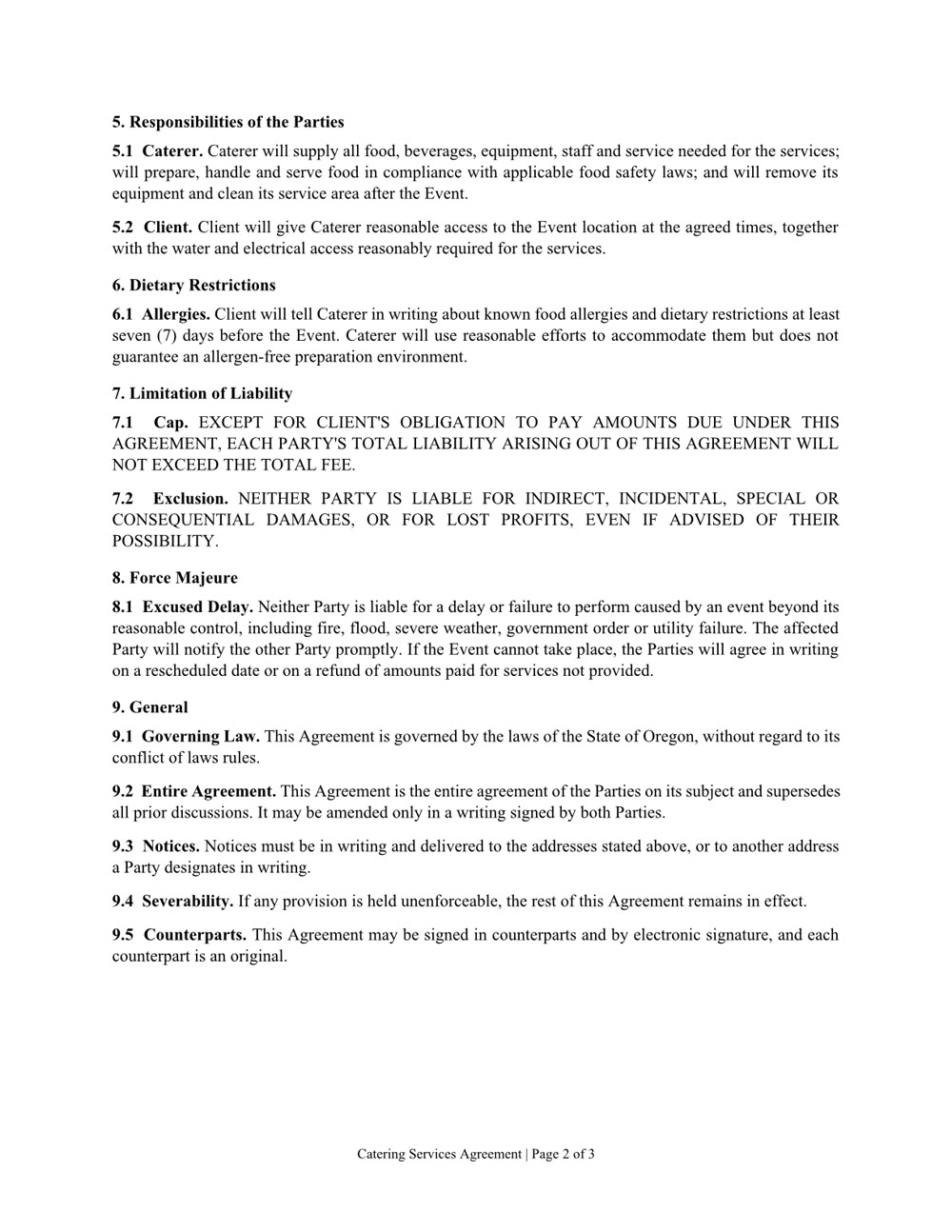
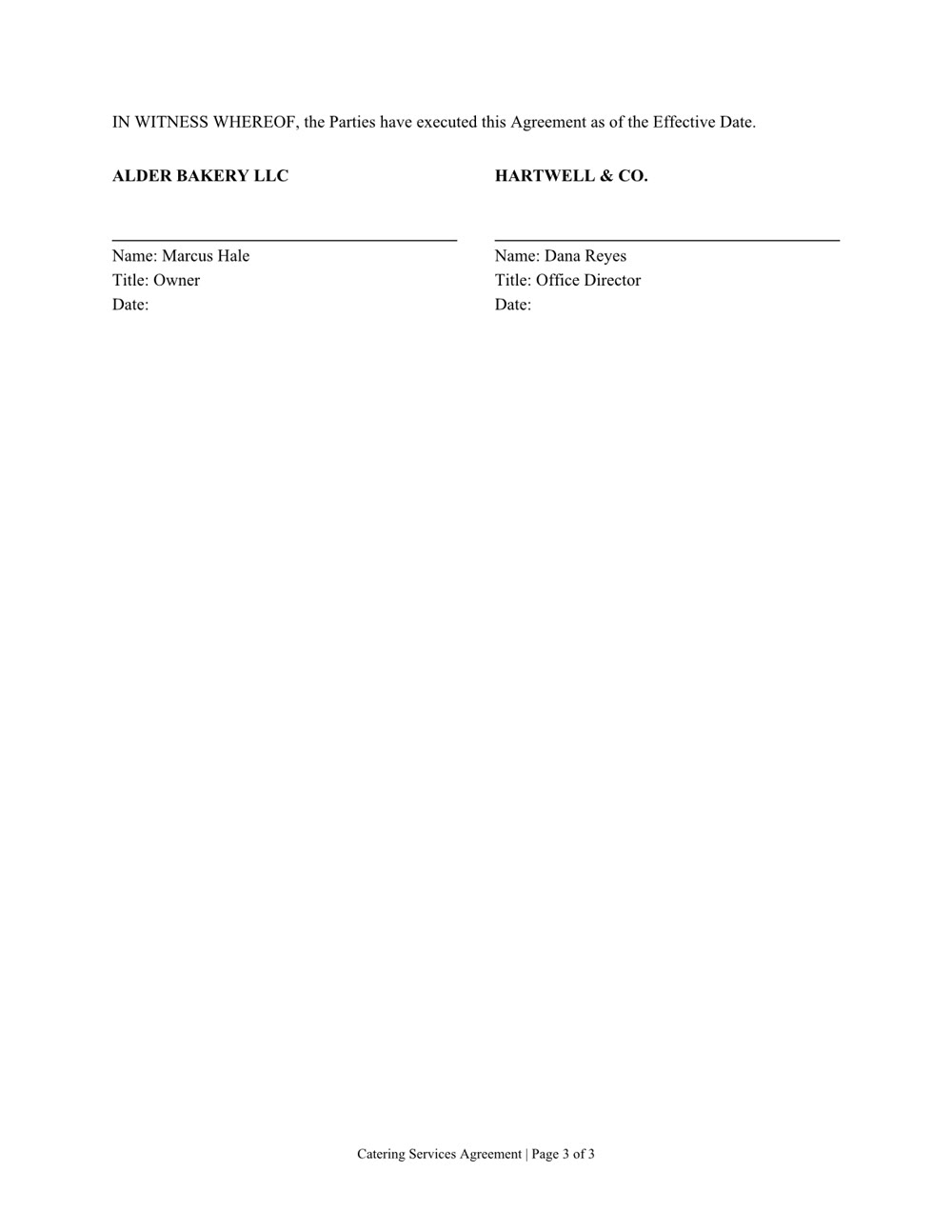
Services agreement, page 1 of 3Services agreement, page 2 of 3Services agreement, page 3 of 3
Services agreement Word

Three pages of numbered clauses and a signature page. Download the file

Create it. Read it. Edit it.

Word, Excel, PowerPoint and PDF: the files you already work in.

Create

A new file from a sentence, checked page by page before you get it. Any of them can also be saved as a PDF.

  • Word
  • Excel
  • PowerPoint
  • PDF

Read

Ask what's in a file, even a scan or a format from years ago.

  • Word
  • Excel
  • PowerPoint
  • PDF
  • Scanned pages
  • CSV
  • RTF
  • EPUB
  • OpenDocument

Edit

Change one clause, one sheet or one slide and keep the rest. In a PDF: fill in the form, merge, split, reorder or lock it with a password.

  • Word
  • Excel
  • PowerPoint
  • PDF
  • Rulează pe calculatorul tău. Fișierele tale rămân acolo.
  • Fișierele se deschid în aplicațiile pe care le folosești deja.
  • Verifică fiecare pagină înainte să-ți dea un fișier.
  • Ia-l din Magazin.

Dă mai departe hârtiile.